Automatic Customer Classification
RFM—Recency, Frequency, Monetary Value—classifies customers based on their purchasing behavior, giving your team a clearer view of account value and engagement.

Repeat Sales Management for Wholesalers & Distributors
Turn customer purchase insights into action. Define customer segments, automate follow-up tasks for your sales team, and track the outcomes.
Using an ERP or accounting system? Let's check your integration options before you get started.
Purchase Intelligence Segments & Automations Sales Execution Outcomes
Purchase Intelligence
Revamp automatically analyzes customer purchase history to help sales teams identify opportunities and prioritize the right accounts at the right time.
RFM—Recency, Frequency, Monetary Value—classifies customers based on their purchasing behavior, giving your team a clearer view of account value and engagement.
Historical purchase patterns estimate when each customer is likely to order again. These are estimates, not guarantees—and they are distinct from Next Action, a scheduled sales follow-up.
Sales Automation
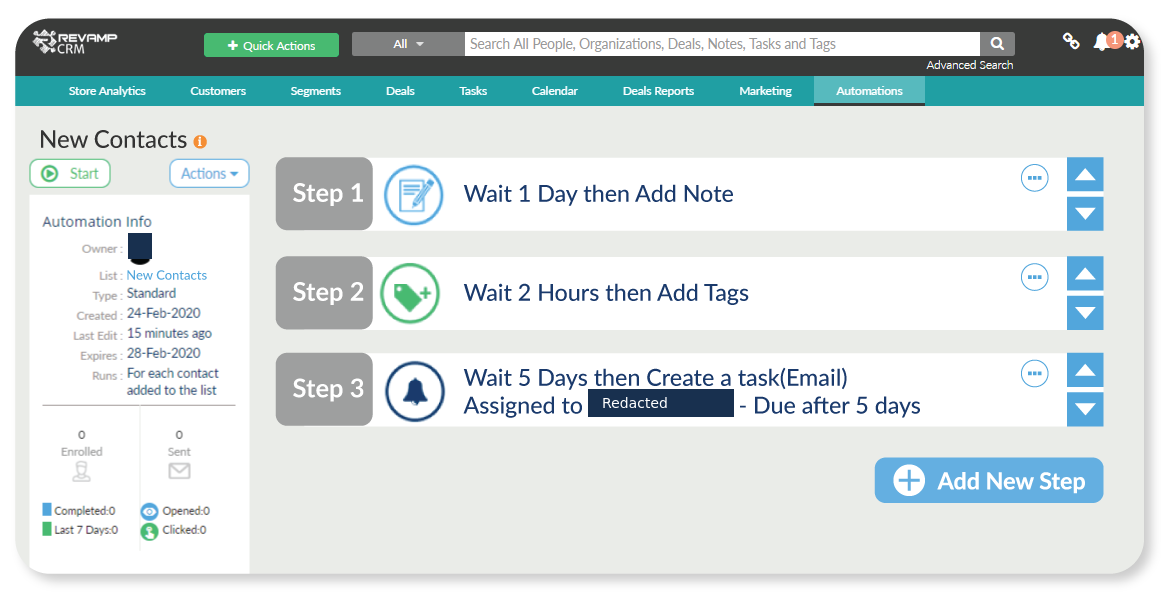
Define customer segments based on purchasing behavior, create automations that generate follow-up tasks for your sales representatives, and keep your team focused on the right customers.
A practical example
Select the existing At Risk customer segment, configure follow-up task creation for a chosen sales representative, then monitor the resulting tasks and recorded outcomes.
Daily sales workspace
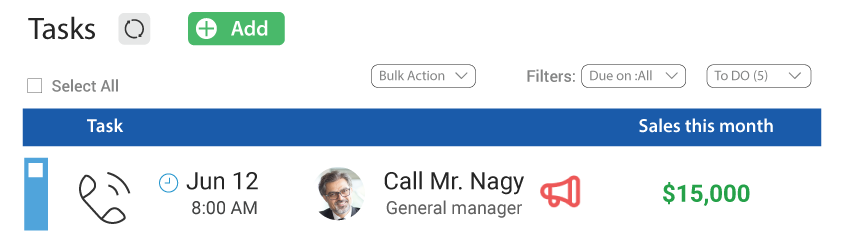
Give your sales team a clear view of which customers need follow-up, what activities are assigned, and what still needs attention.
Identify inactive accounts and customers approaching their expected reorder dates.
Manage assigned follow-ups, daily workloads, and next actions.
Monitor completed, pending, and overdue activities.
Sales management visibility
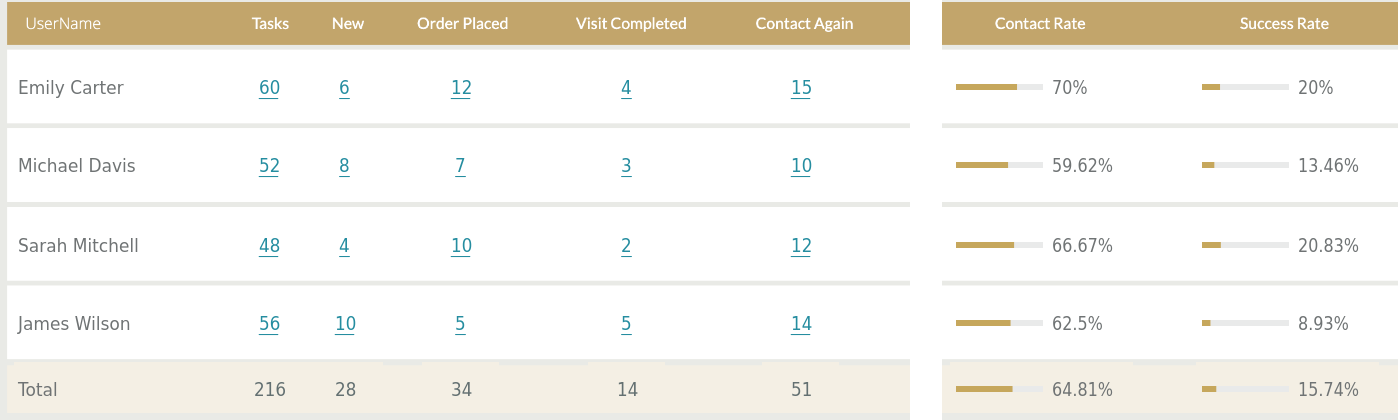
Track sales activities, customer responses, and outcomes across your team. See who's making progress, which customers need another follow-up, and where attention is needed.
November Reorder Follow-Ups · Synthetic demo
Scroll to explore Select image to enlarge
Focused report excerpts. Enlarge to see every response-status column. Fictional demo data, not customer results. The report records activity and outcomes; no incremental revenue is implied.
Real wholesale sales campaigns
Reach customers approaching their estimated next purchase date.
Reconnect with customers who have stopped purchasing.
Assign coordinated follow-ups to selected customer groups based on purchasing behavior.
Built for wholesale sales teams
Plan customer campaigns, assign activities, and monitor execution.
Work through prioritized customer follow-ups and record results.
Maintain customer relationships and manage ongoing account follow-ups.
Revamp uses purchase history from supported integrations to identify sales opportunities and organize follow-ups. Using an ERP or another business system? Contact us to review your integration options.
From Revamp customers
“It even forecasts when they’re likely to place their next order, which helps us time our outreach naturally.”
“The sellers will find it really convenient and easy to learn.”
SIMPLE, TRANSPARENT PRICING
Get started with repeat sales management without complicated pricing tiers.
$19per user / month
Start Your 14-Day Free TrialNo credit card required · Cancel anytime
View full pricing detailsTurn purchasing insights into a repeatable sales process. Keep your team focused on the right customers, the right follow-ups, and the next opportunity to earn repeat business.